
Metal Detector2.0 - Google Play
You'll be able to see results in few seconds.
Publisher Description
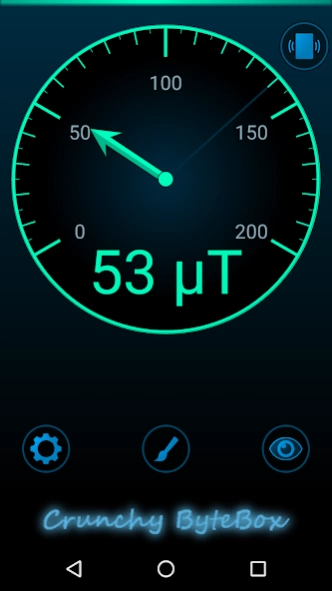
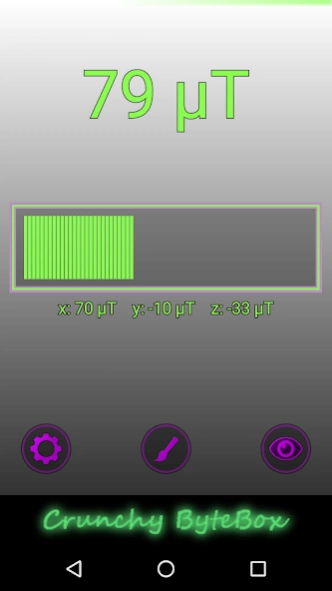
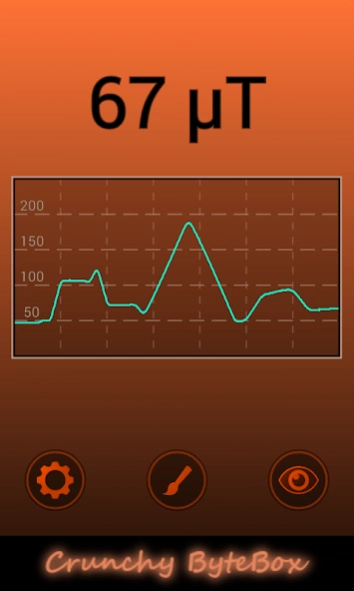

A simple metal detector, that displays the ambient magnetic field in micro Tesla
A simple metal detector, that displays the ambient magnetic field in micro Tesla (µT).
- Set your favourite layout colors.
- 3 different designs to visualize the measurement.
- Vibration or sound feedback when a certain value is reached.
- Variable sensor's sensitivity.
- Values of the x, y and z axis can be displayed.
- Optionally the display is always kept active.
- Landscape and portrait mode.
- App can be moved to sd card.
Permissions:
VIBRATION: You can choose to get a vibrating feedback if the magnetic field reaches a certain value.
INTERNET and ACCESS_NETWORK_STATE are only used to show the ad. Therefore the app is for free. Read the privacy policy to get more information about advertisement and your data.
Info:
- The accuracy of the measurement depends on the sensors of your device.
- From time to time your device should be calibrated by drawing an eight in the air with your device.
- The magnetic field of the earth ranges from 30 to 60 µT. Magnets and electric fields influence the measurement.
- Too strong magnetic fields or vibration may lead to unusual high values permanently. This is not because of the app, but because of the sensors! Try to calibrate your device or hold it close to a slightly higher magnetic field (less than 200 µT) for a short time.
If you still have got any problems, please write an email.
And if you're happy with the app, feel free to write a comment!
About Metal Detector
The company that develops Metal Detector is Crunchy ByteBox. The latest version released by its developer is 2.0.
To install Metal Detector on your Android device, just click the green Continue To App button above to start the installation process. The app is listed on our website since 2016-01-18 and was downloaded 0 times. We have already checked if the download link is safe, however for your own protection we recommend that you scan the downloaded app with your antivirus. Your antivirus may detect the Metal Detector as malware as malware if the download link to crunchybytebox.metaldetector is broken.
How to install Metal Detector on your Android device:
- Click on the Continue To App button on our website. This will redirect you to Google Play.
- Once the Metal Detector is shown in the Google Play listing of your Android device, you can start its download and installation. Tap on the Install button located below the search bar and to the right of the app icon.
- A pop-up window with the permissions required by Metal Detector will be shown. Click on Accept to continue the process.
- Metal Detector will be downloaded onto your device, displaying a progress. Once the download completes, the installation will start and you'll get a notification after the installation is finished.
Program Details
System requirements
Download information
Pricing
Version History
version 2.0
posted on 2016-01-18
- Android 2.2 (Froyo) is no longer supported -,* Sensor's sensitivity is variable,* Some improvements (layout and performance) and bug fixes,* Link to privacy policy & consent from EU users is requested
Disclaimer
Official Google Play Link
We do not host Metal Detector on our servers. We did not scan it for viruses, adware, spyware or other type of malware. This app is hosted by Google and passed their terms and conditions to be listed there. We recommend caution when installing it.
The Google Play link for Metal Detector is provided to you by apps112.com without any warranties, representations or guarantees of any kind, so access it at your own risk.
If you have questions regarding this particular app contact the publisher directly. For questions about the functionalities of apps112.com contact us.
